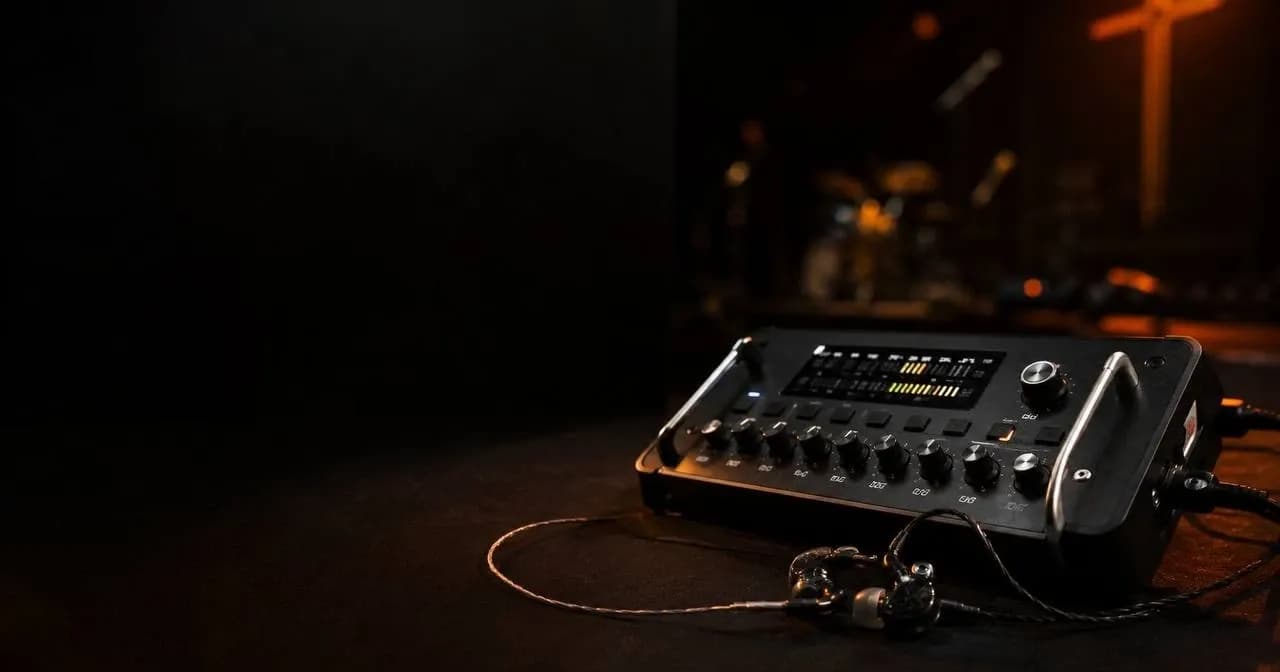
Sound check starts and someone asks, "wait, how do we get the click into the in-ears?" Dead silence. It happens on almost every team: you buy in-ear monitors, download some tracks, and nobody quite understands why the click keeps bleeding into the house speakers, or why the drummer can't hear what they actually need. This isn't a festival-budget-only setup — it's a system with concrete pieces, and here's every one of them, from the personal mixer to the talkback mic.
What a click + in-ear system actually is, and why it matters
The click is a metronome that plays only in the band's in-ears, never through the house speakers. The guide track is a spoken or sung voice that announces the next section, usually one measure ahead: "chorus," "bridge," "ending." Both exist exclusively for the musicians' monitoring — the congregation should never hear either one.
So what does this actually buy you? First, tempo discipline: when the drummer drifts half a BPM, the whole band drifts with them without noticing, and the click is a fixed anchor. Second, it enables backing tracks — pads, synths, programmed layers — that run at a fixed tempo and require the band to stay locked so nothing drifts out of sync. Third, it lets you sync screens and lighting: run a DAW like Ableton Live with the click and tracks, and you can output timecode that feeds both your lyric software and your lighting console at once, so lighting cues land exactly where they should in the song. Dedicated timecode generators like TimeLord exist for teams that don't want to build this inside a DAW. One real tradeoff worth knowing upfront: once a set runs on timecode, you lose the ability to improvise last-second arrangement changes.
The backbone of the system: personal monitor mixers
Here's the piece almost nobody fully understands: the band shouldn't have to depend on the FOH engineer building a perfect monitor mix for them every single week. That's exactly what personal monitor mixers solve.
In a classic analog setup, each monitor feed comes from an aux send on the console, distributed through the snake — and you're capped by however many aux sends your console has. Any adjustment requires the engineer to make it from the board. Digital personal monitoring systems solve this by sending many channels of 24-bit audio down a single Cat5 cable to individual mixers on stage, where each musician builds their own mix without touching the main console.
Dedicated personal monitoring hardware
- Behringer Powerplay P16: a P16-I rack unit takes up to 16 analog inputs and sends them over the Ultranet protocol to daisy-chained P16-M personal mixers, up to six per chain. A P16-D distributor builds a star topology of up to eight P16-M units per hub, cascadable across eight distributors, and also carries power over the same cable.
- Aviom A-16II / Pro16: 16 stereo channels over the proprietary A-Net protocol, chainable in series or in parallel through a distributor that also delivers power. The cable runs long distances, and each channel has a simple two-band EQ.
- Allen & Heath ME-1 and ME-500: connect to any A&H digital console through its ME/SLink port. The ME-1 offers up to 40 channels, three-band EQ, and 16 presets — built for a resident team that has time to dial in its mix. The ME-500 is the plug-and-play version: up to 16 sources over a single cable, and it auto-maps the console's first 16 channels so a working mix is ready in minutes.
- Roland M-48: 40 channels with level, EQ, pan, and reverb per channel over the REAC protocol, also with power embedded in the same cable.
If you already run a digital console
If your church already runs a digital console, you probably don't need extra personal-monitoring hardware at all. Behringer's X32 sends up to 16 Ultranet outputs straight to P16 mixers. Allen & Heath SQ consoles ship with the SQ4You app, where up to eight musicians build their own mix from their phone without touching anyone else's mix or the FOH. PreSonus offers QMix-UC for up to 14 musicians. And if your console doesn't have its own app, Mixing Station is a third-party app that supports most major brands — X32/M32, Allen & Heath, Midas, Soundcraft, Yamaha — and is an accessible way to let everyone build their own mix from their phone.
The upside of letting each musician build their own mix is obvious: the drummer wants a loud click, kick, and bass; the leader wants their vocal and the click as a pitch reference; nobody has to fight over one generic blend. The downside is that someone has to teach the team how to use it, and people tend to over-tweak during rehearsal. If your console has limited aux sends and there's no way to add more hardware, a well-built fixed mix — even as a compromise — still beats nothing.
In-ears: wired or wireless, universal or custom
Wired vs. wireless
A wired system is as simple as it gets: no transmitter, no bodypack, no RF frequency to coordinate, and far more affordable per position. A wireless system needs, for every musician, a transmitter connected to the console and a bodypack receiver worn by the performer. That's where the analog UHF vs. digital 2.4GHz decision comes in: UHF has better range and penetrates the thick walls of solid-construction buildings better, but requires coordinating frequencies to avoid clashing with other systems. 2.4GHz is license-free and essentially plug-and-play, but it shares the band with the building's Wi-Fi, Bluetooth, and security cameras — exactly what most churches have running during a live service.
The most practical approach for most teams: wired for musicians who stay in one spot for the whole set, and wireless only for the worship leader if they walk out toward the congregation. You don't need the whole team on wireless to solve the actual problem, which is almost always just one person moving around.
Universal or custom, single driver or multiple
Looking for multitracks for your team? Explore them on Recursoiglesia.
Browse multitracks →Universal in-ears use interchangeable foam or silicone tips, work right out of the box, and are the logical choice for an occasional volunteer. Custom in-ears are built from an impression of your ear canal — the process includes a bite block to stabilize the jaw, since jaw movement changes the canal's shape, and takes roughly two to three weeks. The real advantage isn't just comfort: a custom shell isolates better, so you can listen at a lower volume while it still feels "loud" — a hearing-health argument, not just a luxury one.
On drivers: single dynamic-driver in-ears deliver coherent, phase-free bass; multi-driver, balanced-armature designs split the frequency spectrum for more detail, but a poorly tuned set can sound unnaturally "stitched together." Worth remembering: a well-tuned single driver beats a poorly tuned eight-driver set. Driver count isn't a proxy for quality.
One ear or two?
It's common to see a worship leader with just one earpiece in, to "stay connected to the room." The problem is that the brain perceives sound as louder when it reaches both ears versus just one, so pulling one side out leaves that ear exposed to stage and PA volume, and you end up cranking the other side to compensate. Multiple expert sources flag this practice as riskier than not wearing in-ears at all. The professional fix isn't "just keep both in" — it's adding a low-level ambient mic into everyone's mix, so you still feel the room without sacrificing your hearing. For the drummer, this isn't optional: with an acoustic kit running well past 100 dB, both in-ears seated is the only real hearing protection they have.
Where the click and guide track actually come from
You've got three paths, from most involved to simplest. The first is a DAW like Ableton Live or MainStage, where you build your own session with click, guide, and stems on separate channels, map MIDI buttons to toggle the click or jump sections, and get total control — in exchange for a real learning curve. The second is free apps built specifically for this: Playback, from MultiTracks.com, lets you pick the click sound, the guide track's language, including Spanish, automatic count-ins, and saved arrangements per song, built so any volunteer can run it without training. Prime, from Loop Community, works similarly, and on most of its tracks the click, guide, and individual stems ship standard. The third path is the simplest: a "click-only" track, like the ones PraiseCharts sells, with click and guide panned to one side and a reference mix on the other — for teams that don't even need stems yet and just want to start playing to a click.
Getting the routing right so the click stays out of the house mix
This is the golden rule, repeated in every serious source on the topic: mute the click channel's send to the main mix, and route it only through aux sends to the band's monitors. On digital consoles, that send should almost always be pre-fader, so moving the FOH fader doesn't change what the band hears in their ears. A matrix, if your console has one, isn't built for creating an in-ear mix from scratch — it only accepts signal that's already coming from a bus, so it's mainly used to send a derived mix to another room or to a recording feed.
The single most common mistake, by far: forgetting to mute the click channel's send to the main mix. The second most common, in DIY setups: dumping the click, guide, and the entire track mix into one stereo pair on a single channel — easy to wire, but it strips the engineer of any fine control over individual instruments. If your interface allows it, bring tracks in as separate channels instead of one pre-mixed stereo pair.
Talkback: talking to the band without the room hearing it
Talkback is a microphone — often built into the console — routed exclusively to the monitor buses, never to the main mix, and muted by default. It's triggered with a press-and-hold button or a latch on/off switch, depending on the console. If your board doesn't have one built in, dedicated footswitches exist that toggle a single mic between FOH and the band's in-ears, useful when the worship leader also runs the tech team. Some digital consoles automatically duck the program mix when talkback is engaged, so instructions come through clearly without every musician having to manually turn themselves down. The operating rule is simple: if you're not talking, talkback stays muted — an open talkback mic dumps room noise and side conversations straight into the whole band's ears.
How to roll it out without a mutiny
Dropping the click on the team cold, on a random weekend with no warning, is the fastest way to make everyone hate it. Here's the order that actually works:
- Tell the team ahead of time and explain why. The click exposes timing issues nobody knew they had, and that creates resistance if you don't explain it first.
- Start without any track software at all — just a free metronome app, so the team gets used to the feeling.
- Practice with the drummer alone first, in a separate rehearsal, before bringing in the rest of the band.
- Stay in rehearsal-only mode for several weeks. Don't debut it live until rehearsal feels solid — the first live outing is never perfect, and that's fine.
- Start with a subdivided click, eighth or sixteenth notes, since it's easier to internalize; simplify to quarter notes once the team has it down.
- Only after the click alone is mastered, add the guide track and full playback tracks.
Common mistakes and how to avoid them
- Using in-ears that don't seal properly. The stock earbuds that came with your phone will leak, and everyone nearby, including the congregation, will hear the click.
- Pulling one earpiece out to "feel the room." This is the exact opposite of what solves the problem — use an ambient mic in the mix instead of sacrificing your hearing.
- A click that's too loud or too harsh. A natural woodblock-style tone feels far less intrusive than a hard digital beep.
- Letting latency stack up without noticing. Anything past roughly 10 milliseconds becomes noticeable, and the recommended ceiling for in-ears specifically is 5ms or less. Run a wireless mic and wireless in-ears at the same time and that latency can stack past the limit — worth measuring, not just assuming.
- Sharing foam tips between volunteers. Foam is porous, absorbs moisture, and doesn't disinfect well; silicone wipes clean with alcohol and holds up far better to shared use. If several volunteers rotate the same gear, use disposable hygienic covers or give each person their own tip set.
- Debuting the click live without ever rehearsing it. It sounds obvious, but it's the mistake most teams make, and the one that kills adoption fastest.
Explore more resources to elevate your worship at recursoiglesia.com, where you'll find multitracks, charts, templates and more. And follow us so you never miss a release: on Instagram and Facebook as @recursoiglesia.